Case study · Deloitte LinkedIn Booklet
Deloitte LinkedIn Booklet
A printed, tabbed, ring-bound booklet designed on behalf of Deloitte, teaching veterans how to build a strong LinkedIn profile, grow a network and search for civilian jobs.
01 — Context
Booklet design for veterans moving into civilian careers
Deloitte runs complimentary training sessions that help veterans use LinkedIn effectively as they move into civilian work. For those sessions it needed a printed handout, and it asked us for the booklet design: a tabbed, ring-bound guide called LinkedIn Best Practices for Veterans, paired with a companion resource guide provided as a workbook.
The brief was practical. Attendees would use the booklet during a live session and keep it afterward, so it had to teach clearly, lie flat on a desk, and be easy to flip back to the right section later. It also had to sit comfortably within Deloitte's visual language and carry the program's CORE mark alongside Deloitte's own.
The audience shaped every decision. Many veterans arrive with deep leadership and operational experience but little reason to have spent time on LinkedIn. They do not need to be sold on networking; they need to know exactly which field to fill in, what to write there and why it matters to a recruiter. That pointed us toward a booklet that shows rather than tells, with real screens on almost every page.
02 — Structure
Four tabbed sections that follow the job search
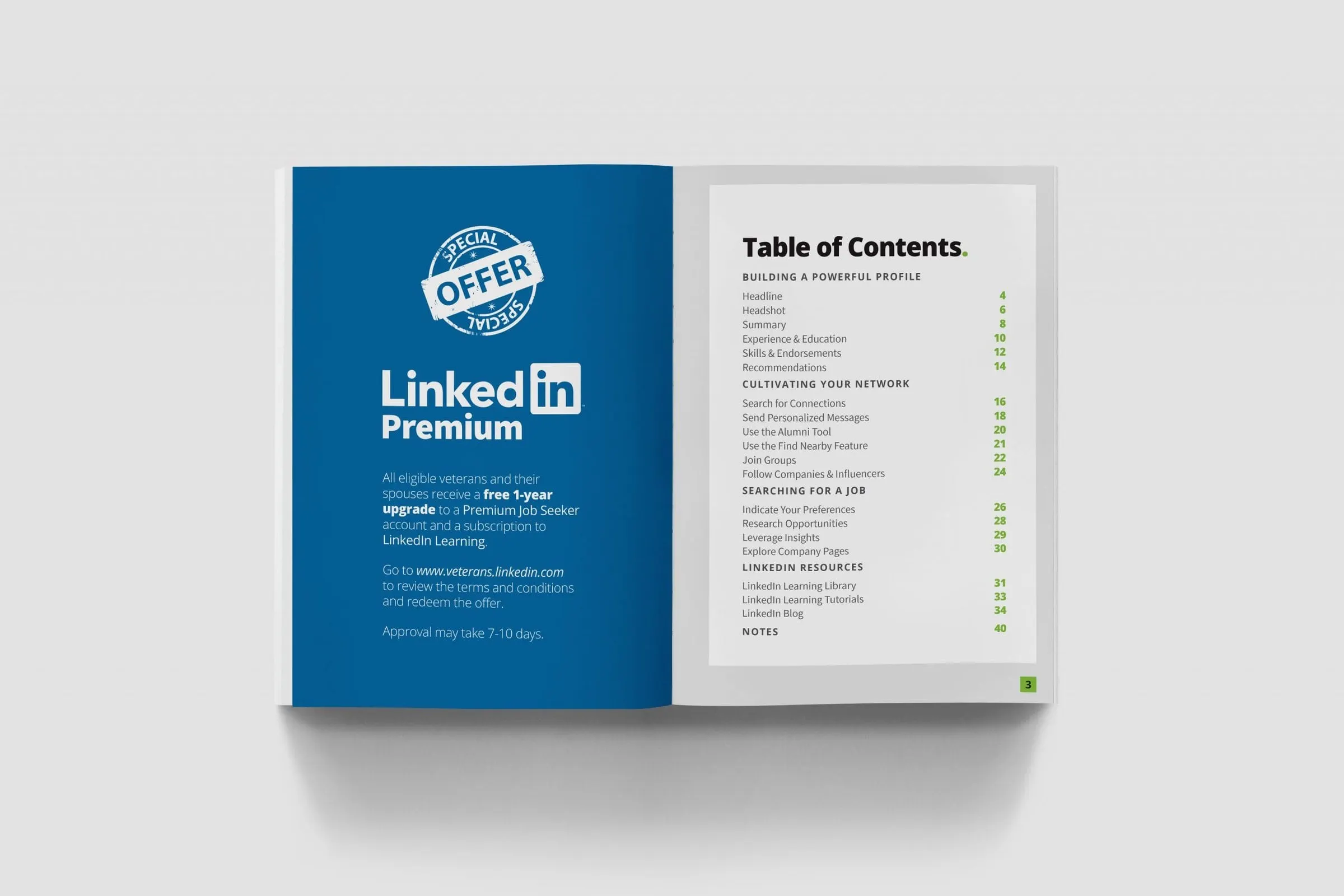
We organized the content into the order a job seeker actually works in: Building a Powerful Profile, Cultivating Your Network, Searching for a Job and LinkedIn Resources, with notes pages at the back. Those sections became the tabs of the ring binding, and the section name runs along the foot of every page so readers always know where they are.
Each topic gets its own spread. A bold heading finished with a green full stop, a short plain-language introduction, then the practical detail. The ring binding was a deliberate print design choice: it lets the booklet lie open during a session, and it keeps spreads flat enough to read screenshots and callouts at a glance.
We kept the palette restrained: white pages, charcoal type, LinkedIn blue where the product appears, and Deloitte green used sparingly for markers, rules and page numbers. With so many screenshots on each spread, a quiet frame keeps the attention on the content being taught.
03 — Teaching the interface
Screenshots, callouts and do's and don'ts
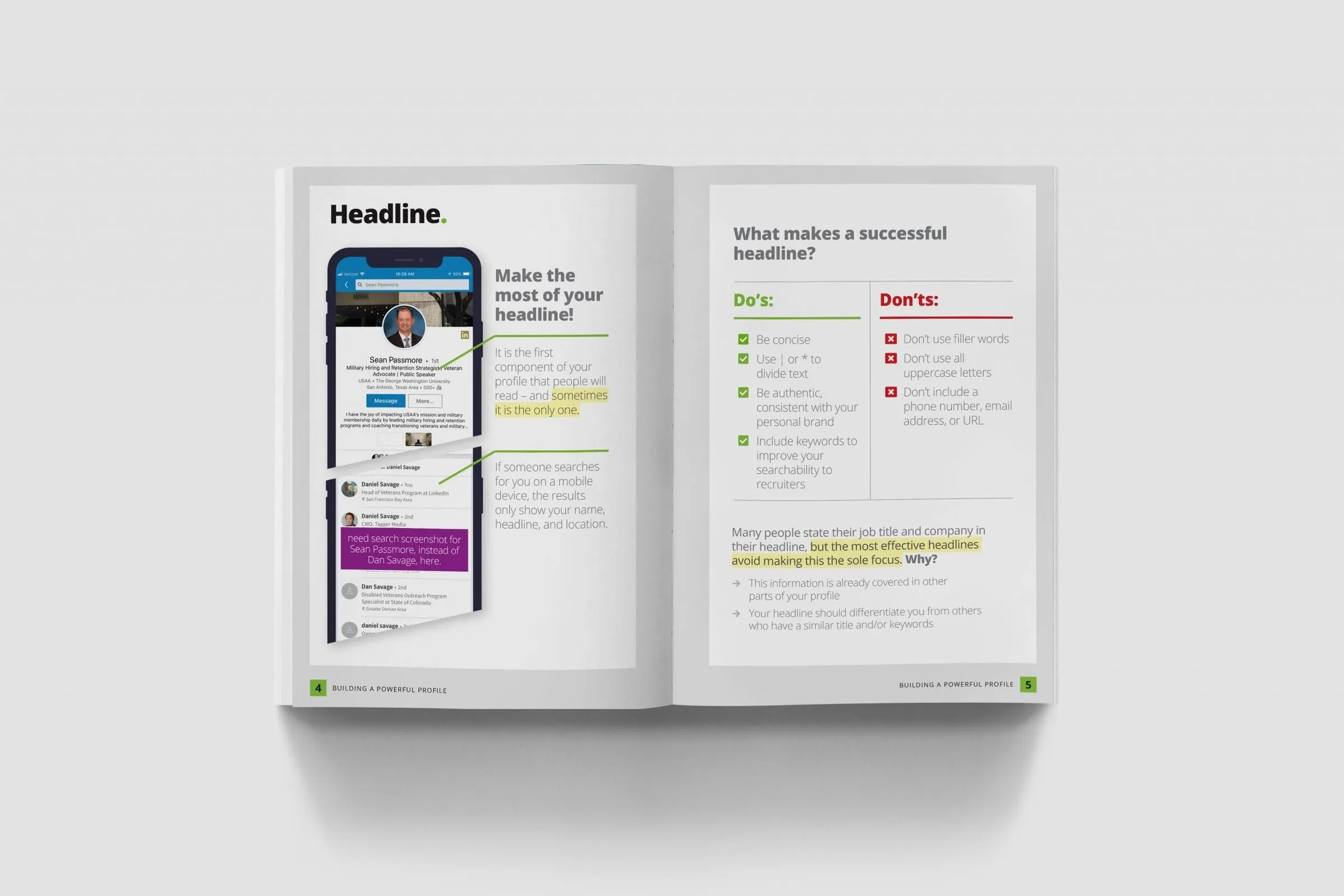
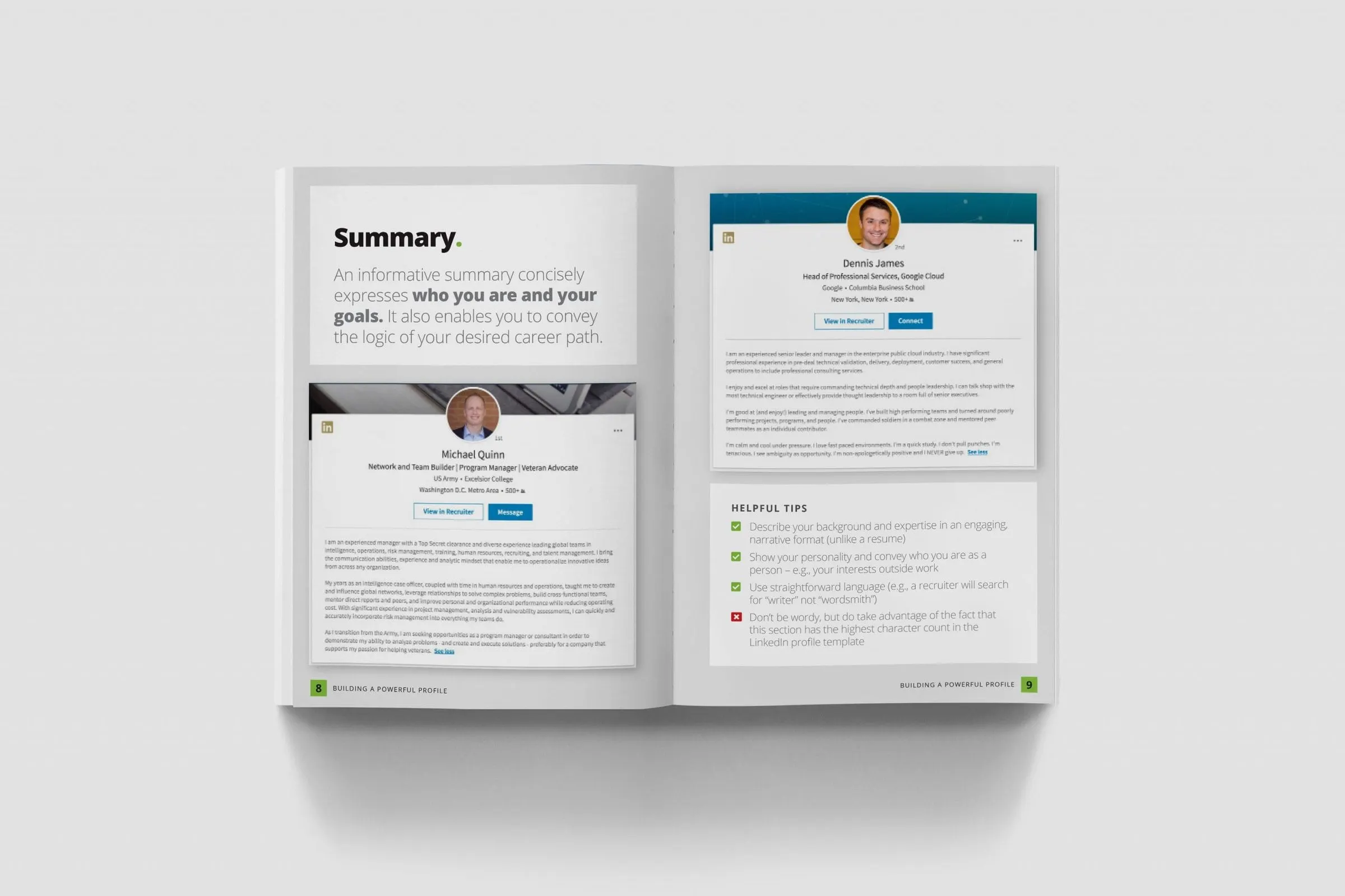
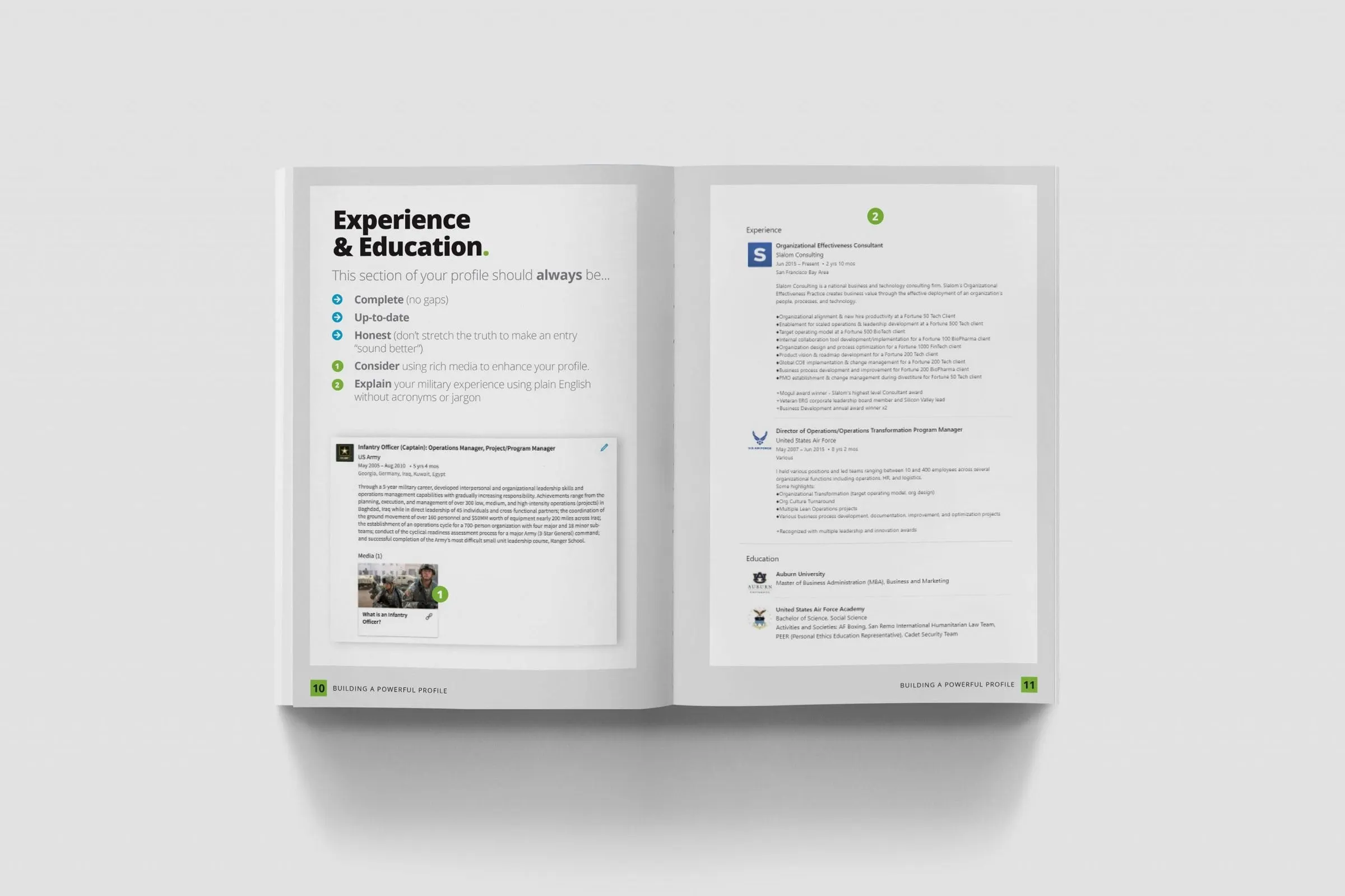
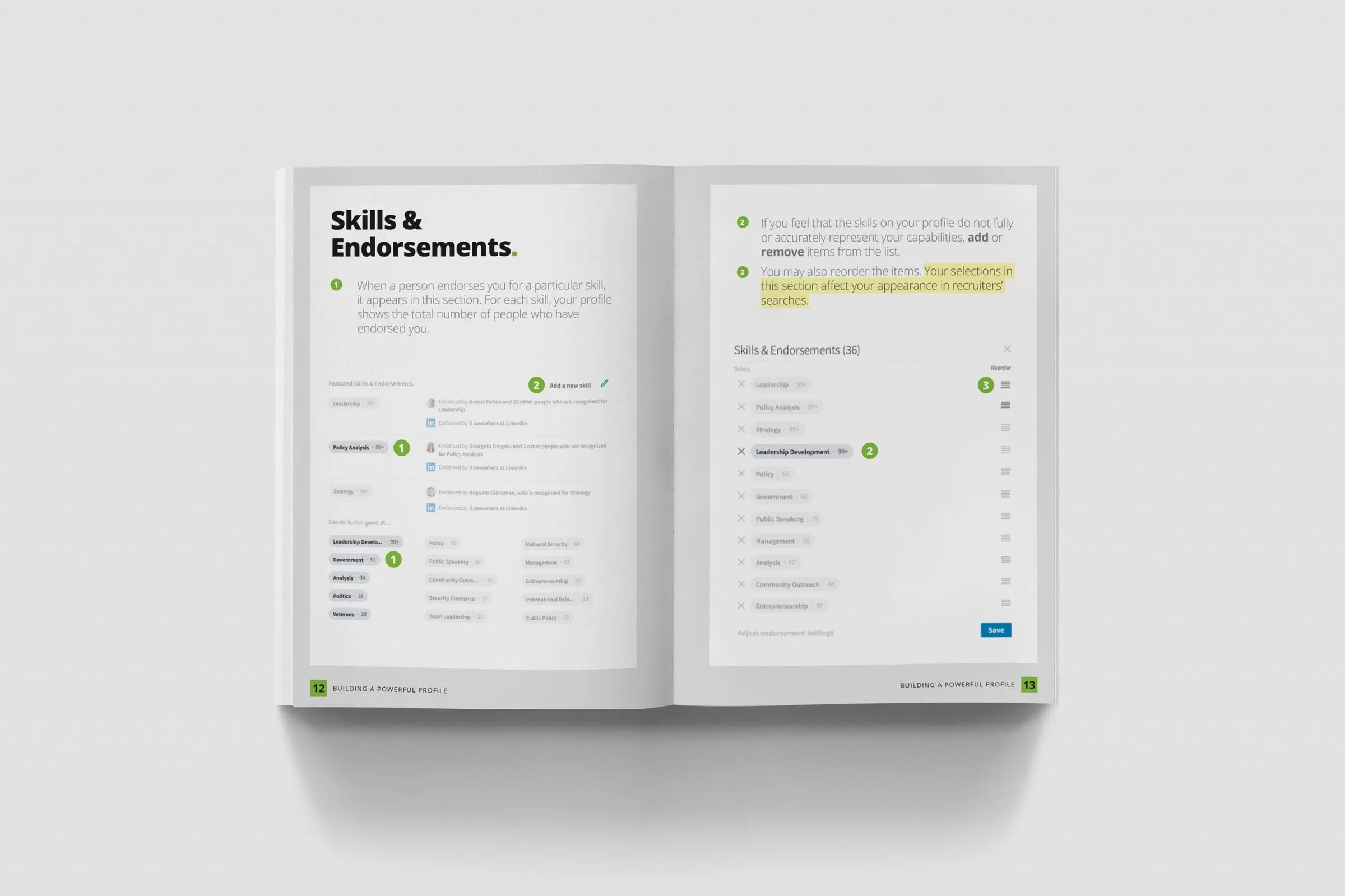
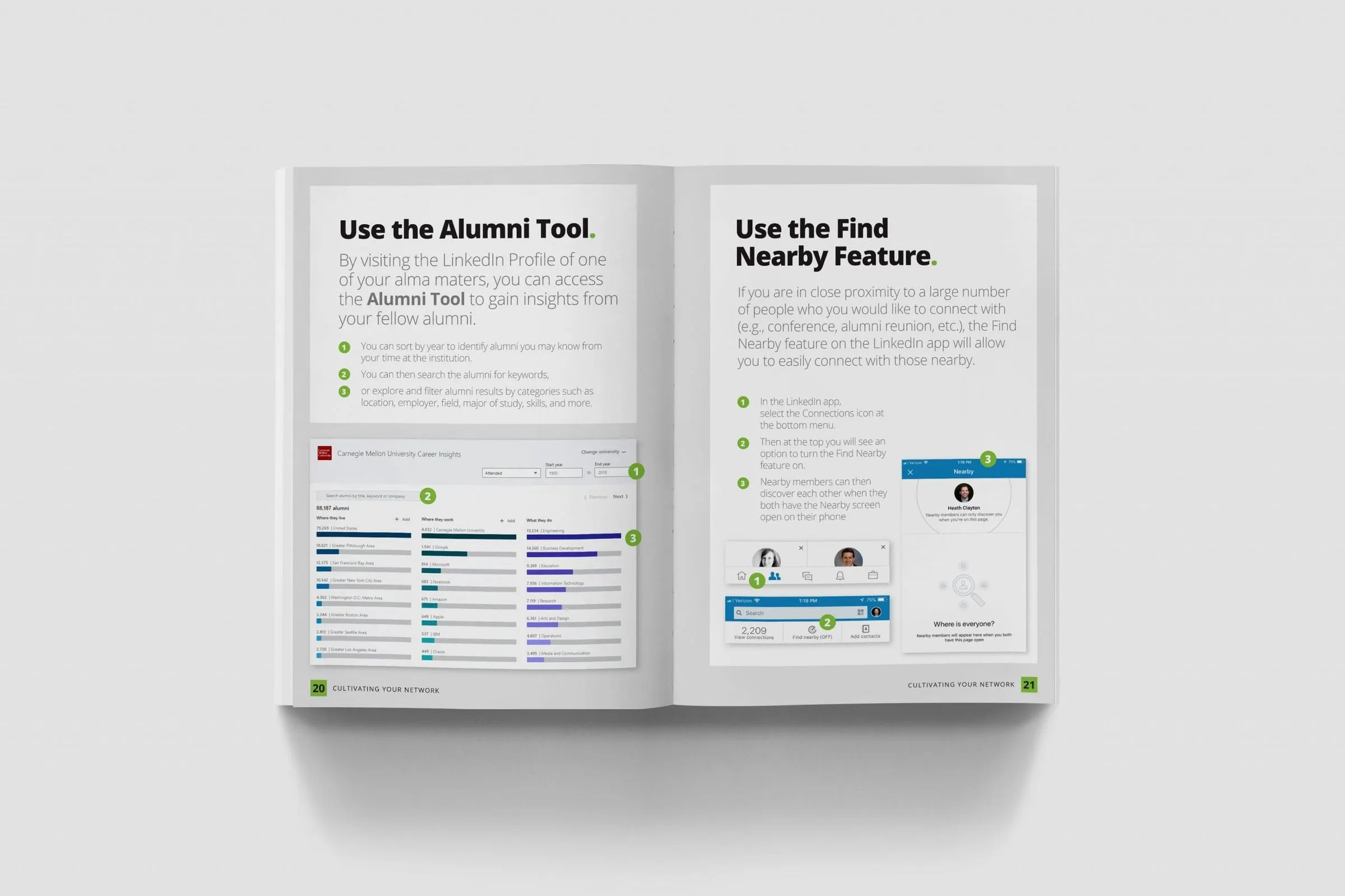
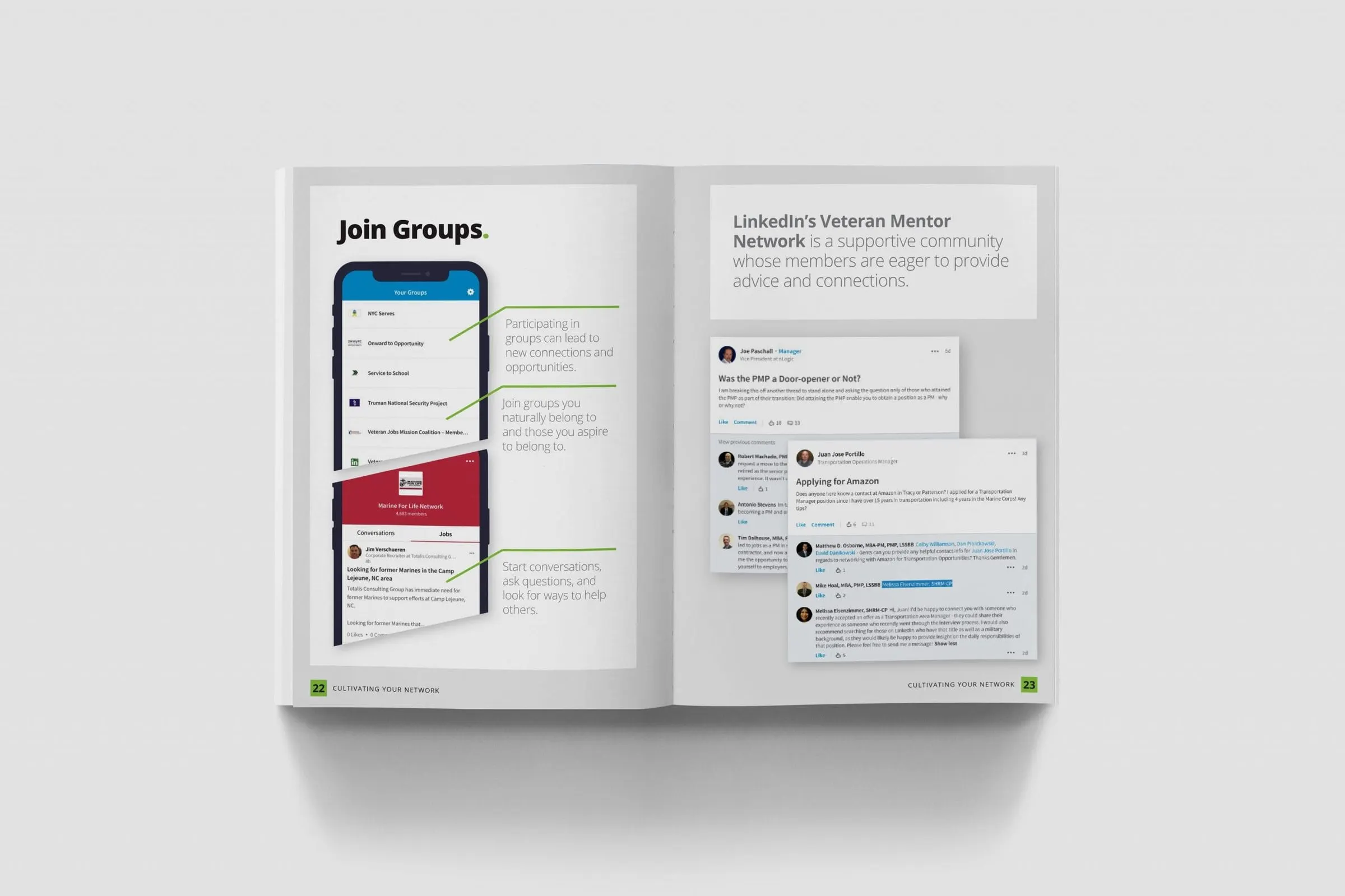
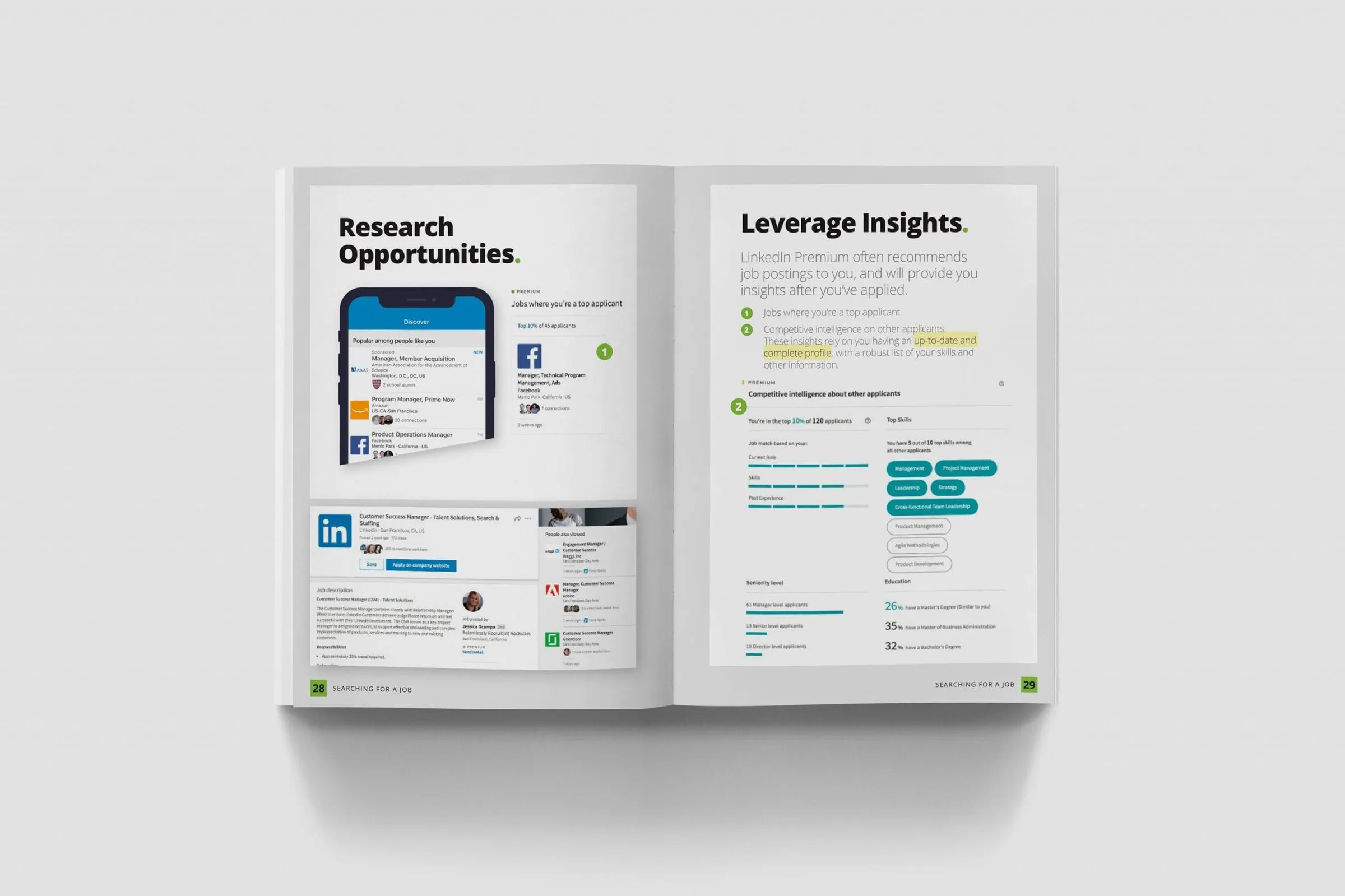
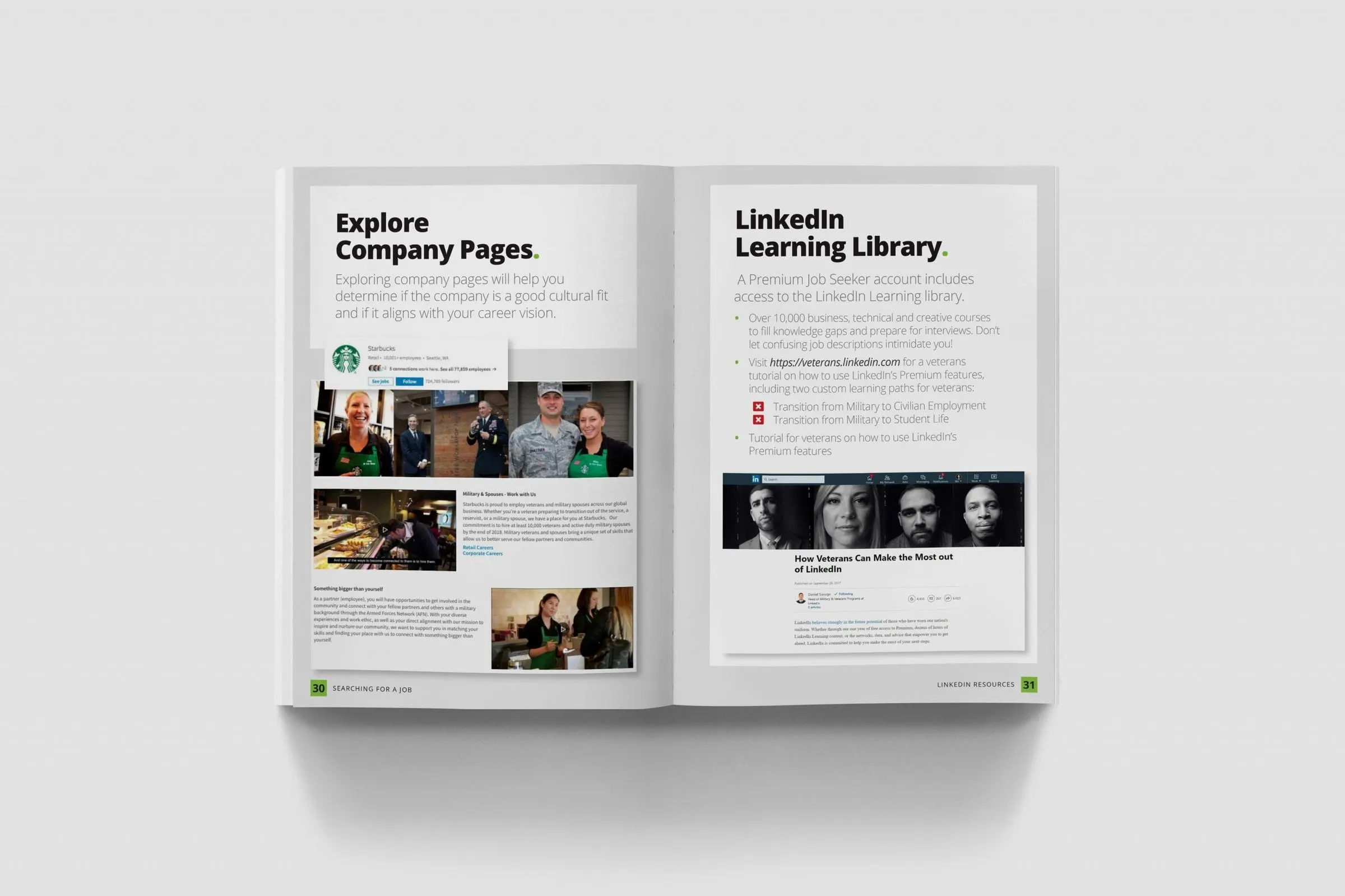
Explaining software in print is hard. Screens change, and a reader cannot click anything. We handled that with a small, consistent set of devices. Real LinkedIn screens are shown on phones or as cropped panels, with thin green leader lines pointing to the part that matters. Numbered green markers tie steps in the text to spots on the screen. Highlighter-yellow underlines pick out the one sentence on a page that people should remember.
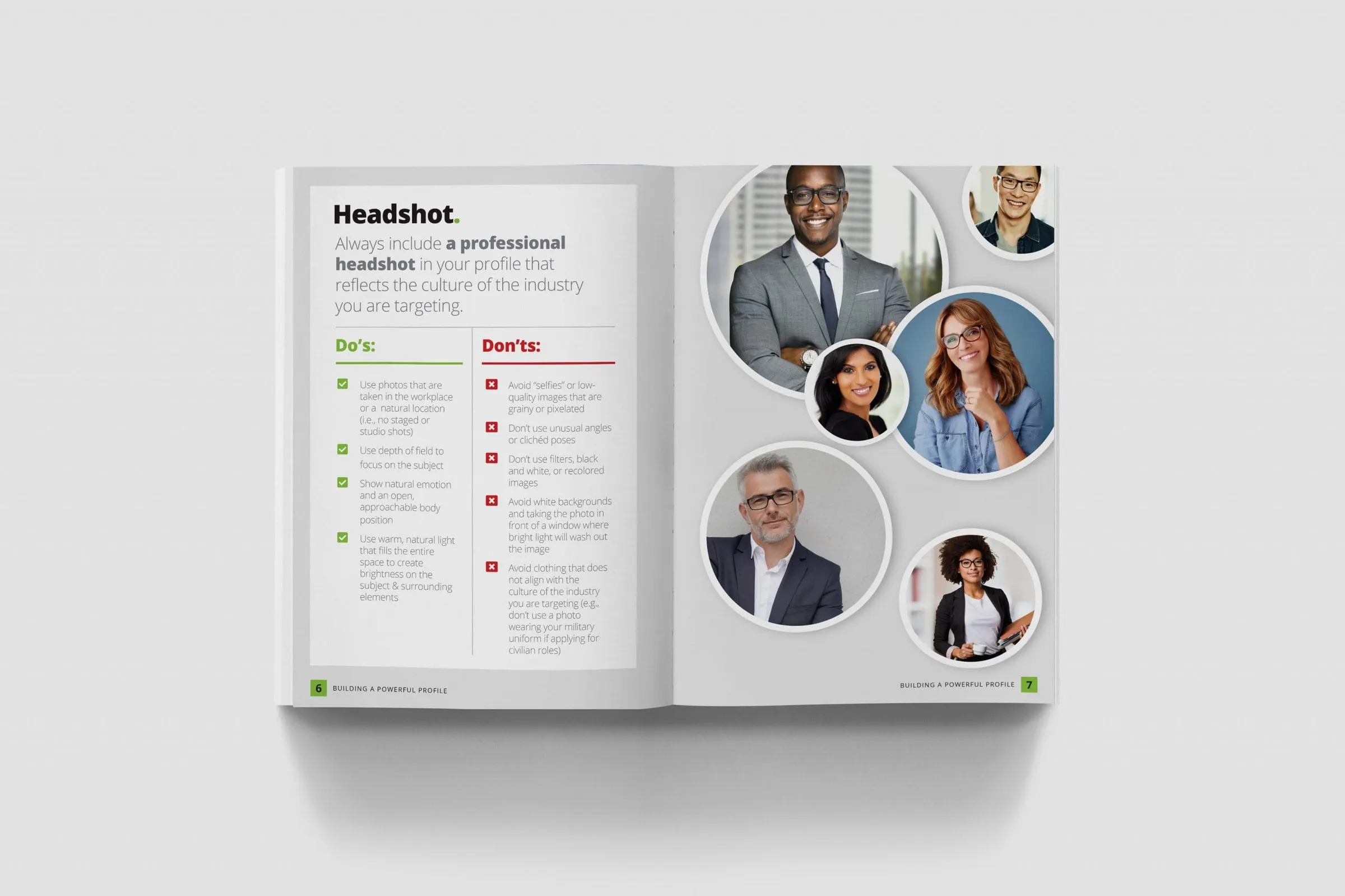
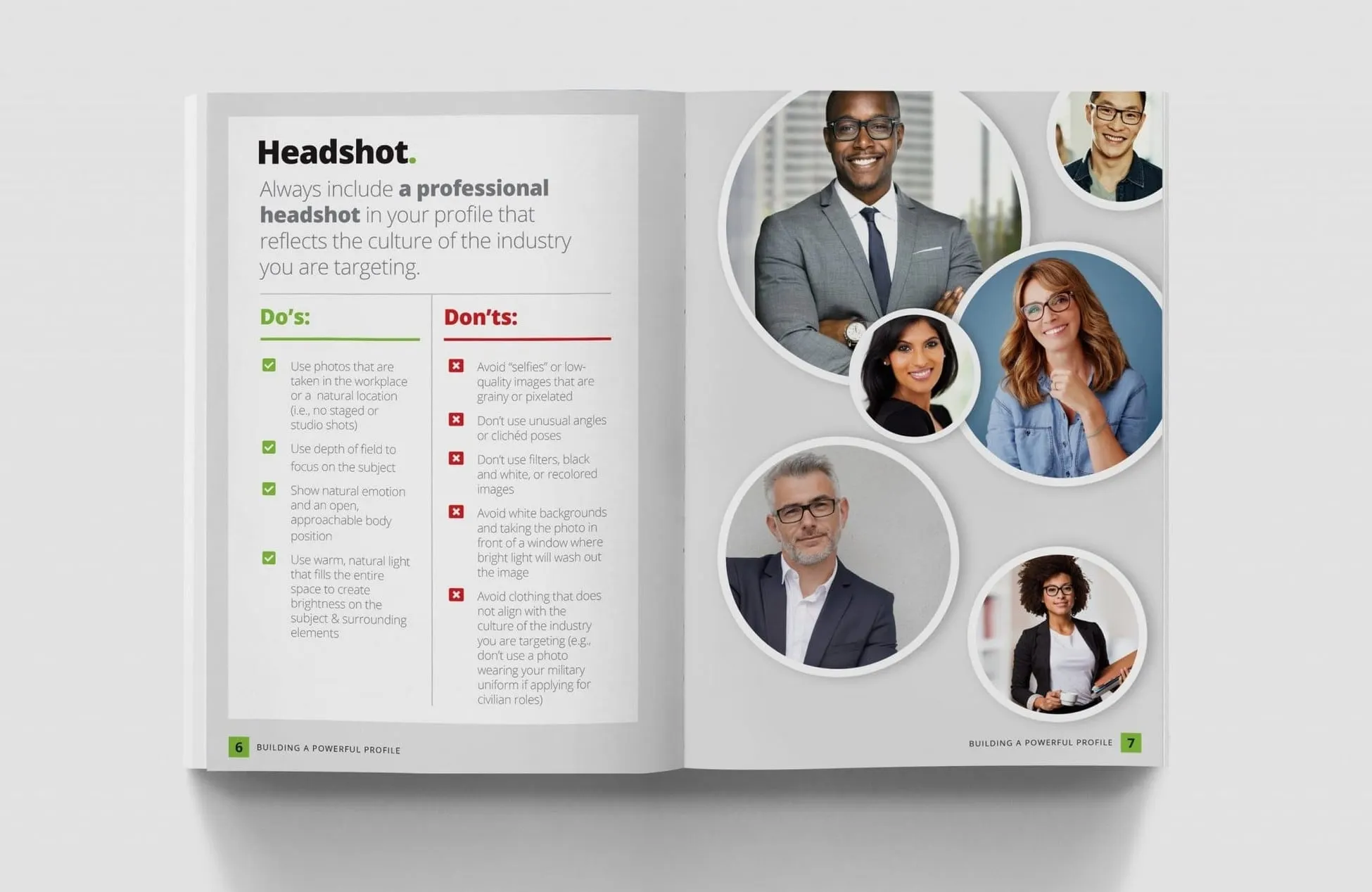
For judgement calls, like what makes a good headline or headshot, we used side-by-side Do's and Don'ts lists with green ticks and red crosses. Profile sections such as Summary, Experience & Education and Skills & Endorsements follow the same pattern, so by the third spread readers know exactly how to read the page.
The goal was a page that a trainer can point to in a full training room and say, look at callout two, and everyone finds it. That kind of clarity is what separates instructional brochure design from a printed slide deck.
04 — Outcome
A handout people keep using
The finished booklet gives Deloitte's trainers a structured companion for each session and gives veterans a reference they can take home. Tabs, consistent spreads and visual callouts mean someone can pick it up weeks later and find the advice on writing a summary or using the alumni tool in seconds. Notes pages at the back give attendees room to capture their own action items during the session.
Because every spread is built from the same components, the booklet is also straightforward to revise when LinkedIn's interface changes: swap the screenshot, adjust the callouts, and the page still reads the same way.
It is one of several pieces of publication design we have produced for large organizations. See also our Deloitte resource guide and other professional services work.